

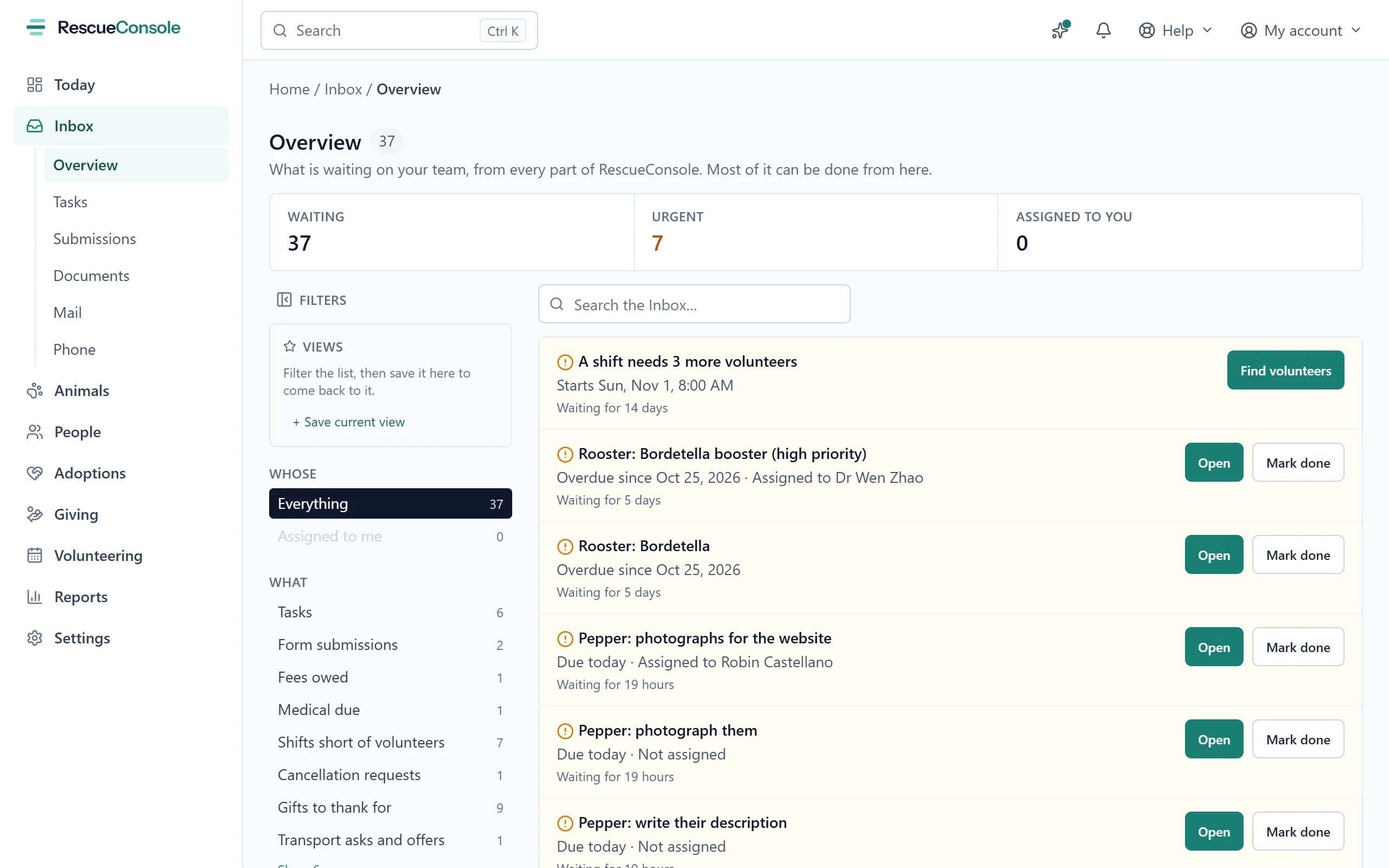
The Inbox's Overview: each item says what is waiting and for how long, with Open and the buttons that deal with it.
What appears
An item leaves the Inbox when what it waited for is done, wherever it was done. Reviewing a submission on its own page, or a fee being paid, takes it away just as the button here does.
Thanking and reading
A gift and a foster’s note have nothing of their own that says they were dealt with, so the Inbox keeps it. Mark thanked and Mark read record who marked it and when, and take the item away for everyone. The line that says what was done has an Undo, which puts the item back.1
Open the thank-you
Thank, on a gift from somebody on file, opens Compose to them with your donor_thank_you template chosen and filled in, and the gift as what the email is about.
2
Check it and send it
Read it, change what you like and send it.
Answering a foster
1
Give the day and time
Book on a foster’s vet visit request asks for the day and time of the visit, in your rescue’s time zone.
2
Send it
Send adds it to the animal’s medical record as a scheduled exam named Vet visit and what the foster said is wrong, so it is on the record, the calendar and the foster’s Coming up; the foster sees the day and time on their portal and is emailed it.
1
Write your reply
Answer on a foster’s request opens a box for your reply, such as when you will drop the supplies off, or to tell them to go straight to an emergency vet.
2
Send it
Send saves it, emails it to the foster, and shows it on their portal under the animal.