

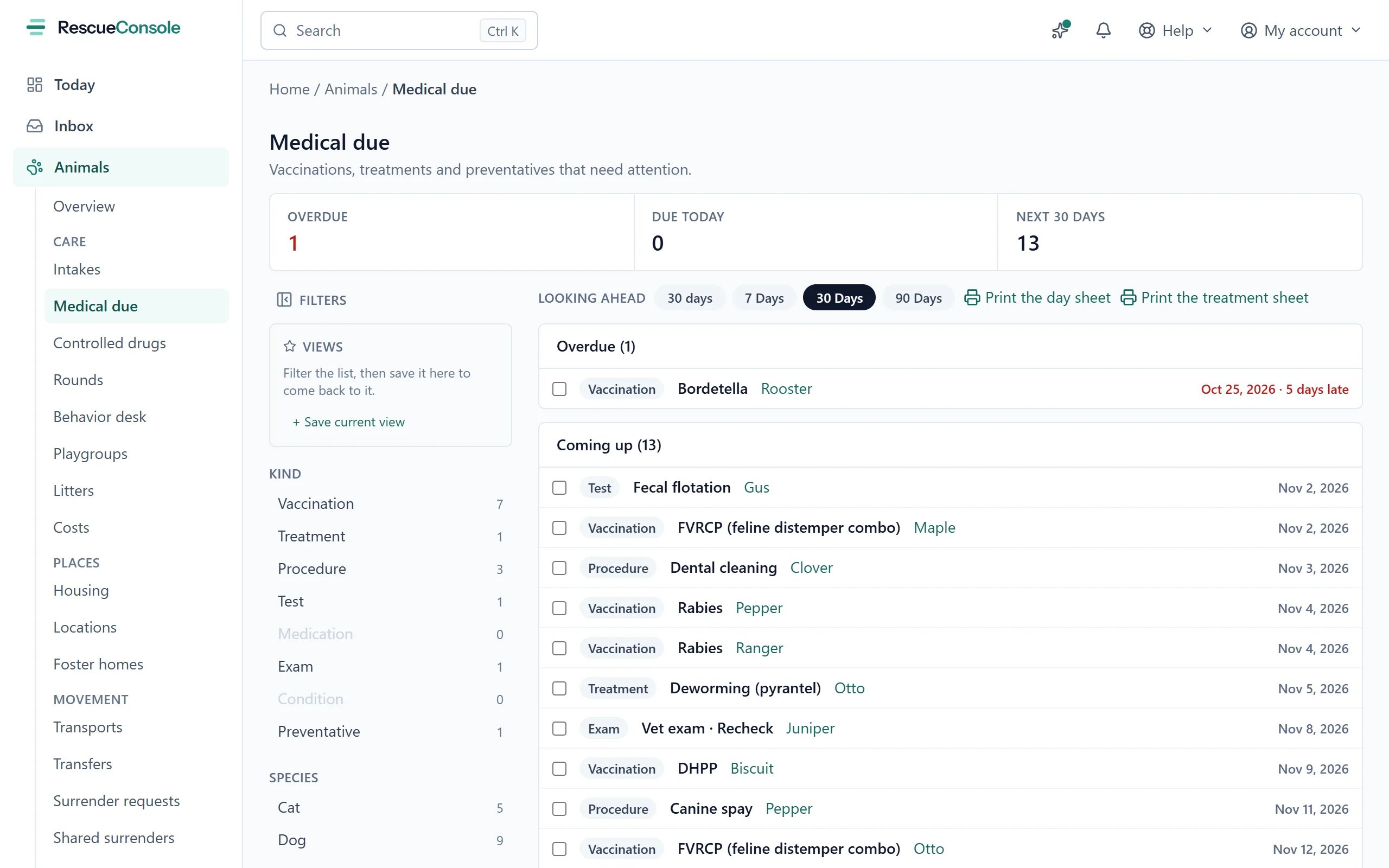
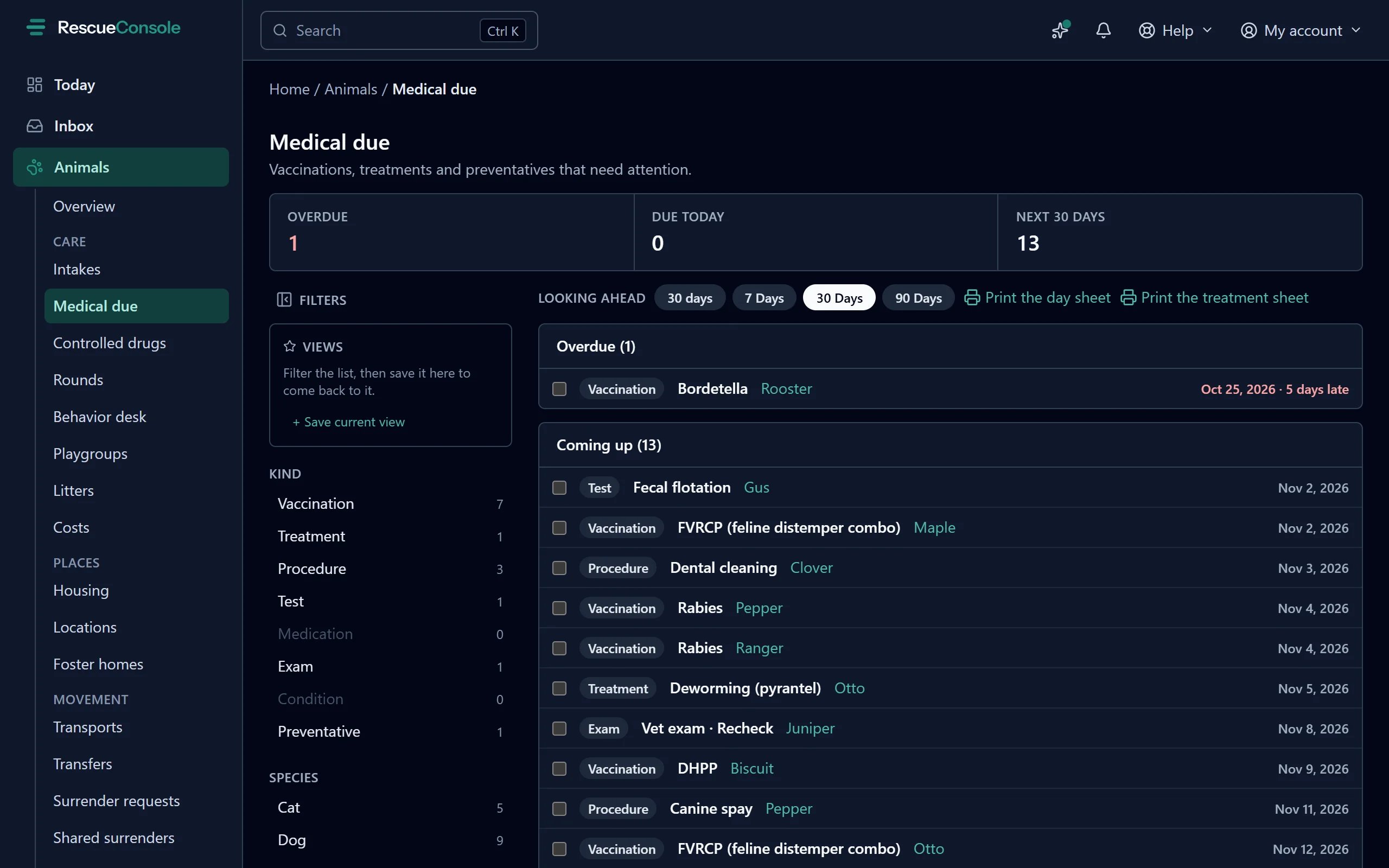
Medical due, looking 30 days ahead: what is overdue first, then what is coming up.
Due and overdue
An item is due when it has a due date and has not been done. On the record:- its date reads Next while it is in the future;
- it reads Due, in amber, once the date is today or earlier. Overdue is more due, not less, so it stays until it is done;
- once done, the old date reads was due, and the next occurrence, if any, is its own row.
The daily reminder
Each morning after seven where your rescue is, an email goes out about the medical care due tomorrow, due today and not done, and overdue:- to the foster of each animal placed in a foster home, about that animal’s items only, with a reminder to mark them done on their portal;
- to everybody with the Veterinarian or Veterinary technician role, about every animal in your care.
The Medical due page
Medical due lists what is outstanding across every animal: the list a medical coordinator opens in the morning. Open it from the search palette by typing “Medical due” (see Finding your way). The numbers at the top count Overdue, Due today, and the items due in the Next 30 days. They count only animals still in your care: an animal that has gone home, or that you have deleted, takes its due items off this list with it. Today is your own day, in your organization’s time zone. Below them, the items are grouped:
Each line shows the kind of record, its name, the animal and the due date. Press the animal’s name to open its record.
Press the item’s name to open it beside the list, in the peek. It shows the animal, the due date and how late it is, how often it repeats, and its notes, and if your role can change Animals, it has three ways to deal with it:
- Mark done today records it done today. A repeating item gets its next one scheduled, as completing it on the record would.
- Done on another day, with a date and Save, records it done on that day.
- Reschedule to, with a date and Reschedule, moves its due date.
- Looking ahead sets the window: 7, 30 or 90 days. It starts at 30.
- Kind narrows the list to one kind of record, such as Vaccination or Treatment.
- Species narrows it to one species.
- Views saves the filters you use most, as on the Animals list.
Medical protocols
A medical protocol is your list of what each species and age group is given, set up under Settings → Animal management → Medical protocols. Applying one adds a medical record for each of its lines: due on its day (counted from the day the protocol starts), on Medical due, the calendar and the daily reminder like any scheduled item. A line that repeats is a recurring item, and one that stops at an age has its last date worked out from the animal’s date of birth. Each record notes “From the Kittens protocol”, with the protocol’s name. A protocol is offered in three places:- New intake, in step 3 beside the vaccines given on arrival: Apply the Kittens protocol is ticked when one fits. A vaccine ticked as given on arrival that is on the protocol is recorded as given that day, and its repeats follow from it; the rest of the protocol is due on its days.
- Quick add on the Animals list: Apply the Kittens protocol from the intake date, under the form, applies it to the animal when it is saved, and to each littermate saved after it.
- The Animals list’s selection bar: select the animals and press Apply a medical protocol…. Choose Each one’s own, by species and age, or one protocol for them all, and the day it starts. It takes at most 50 animals and 80 doses at a time.
Adding a record to many animals
To give the same vaccine to a litter, or record one test for every cat in a room, select the animals on the Animals list and press Add medical record…. It takes at most 100 animals at a time. It offers only the items that suit every animal chosen: choose dogs and cats together and Rabies and Bordetella are offered, but not DHPP or FVRCP. The Add a medical record panel asks once for what is the same for every animal, and has a table with a row for each animal for what differs.1
Choose the kind and the item
Kind is Vaccine, Test, Treatment or Procedure. Then choose the item from your catalog, or Something else… and a Name.
2
Given or scheduled
Choose whether it has already happened, with its date, or Schedule it. For one already given you can set Next due, or Every and Unit, exactly as on a single vaccine.
3
Say where
Our own clinic, or the practice and the vet.
4
Decide what differs for each animal
Under Different for each animal, ticked fields get a column in the table; the rest are asked once, under The same for all of them. A lot number and a rabies tag start ticked, as do a test’s result and findings and a treatment’s amount.
5
Fill in the table
One row per animal, with a Notes column. Same for all under a column heading copies the first animal’s value to every row.
6
Say what it cost
Cost is optional. Left empty, each animal’s record costs what the item costs your rescue, when it has a cost, and the panel says so under the box. With more than one animal, choose whether it is the cost on each animal, or the whole bill, split across them: a clinic’s invoice for the day, divided evenly to the cent, the first animals carrying a cent more when it does not divide. The panel says what each share comes to. Each animal’s share is on its record and counts in its cost of care.
7
Save
Press Add to N animals, or Schedule for N animals.
Adopted and still owing
Medical due lists the animals in your care. An animal adopted before its rabies booster or its last puppy or kitten shot is due leaves that list, and nothing asks afterwards whether it was done. Adopted, still owing, under Reports in the sidebar, lists the adopted animals still owing:
Other care scheduled, such as a dewormer, is left out: this is the list you follow adopters up for. An animal counts by its latest adoption, if it was not undone and was in the last two years; one adopted and returned is yours again and on Medical due instead.
Each row shows the animal and the day it was adopted, the adopter with their email and phone, and what it owes with the day it is due; anything overdue is in amber. Owing narrows the list to one of the five, and Due to what is Overdue, Overdue or due in 30 days (as it opens), Overdue or due in 90 days, or Any time. Anyone who can See Animals can read it.
Reminding the adopters
With Change on Animals and on Communications, tick the animals whose adopters to remind and press Remind this adopter or Remind these N adopters. The Subject and Message start in our words; change them as you like. Each adopter gets one email for each animal, listing everything it still owes, whatever the list is narrowed to.{{first_name}}, {{animal_name}}, {{items}} (a line for each thing owed) and {{org_name}} fill in. When it has gone, the panel says how many were sent, how many adopters have no email address, and how many animals no longer owe anything. Up to 200 at a time.